VeryWWW replaces Chrome’s blank new tab with a page of your own. Your words, big, on a
colour wall, with your calendar, to-do list, notes, focus timer and favourite sites one
click away.
Free, for Chrome on your computer. Listing soon. No account.
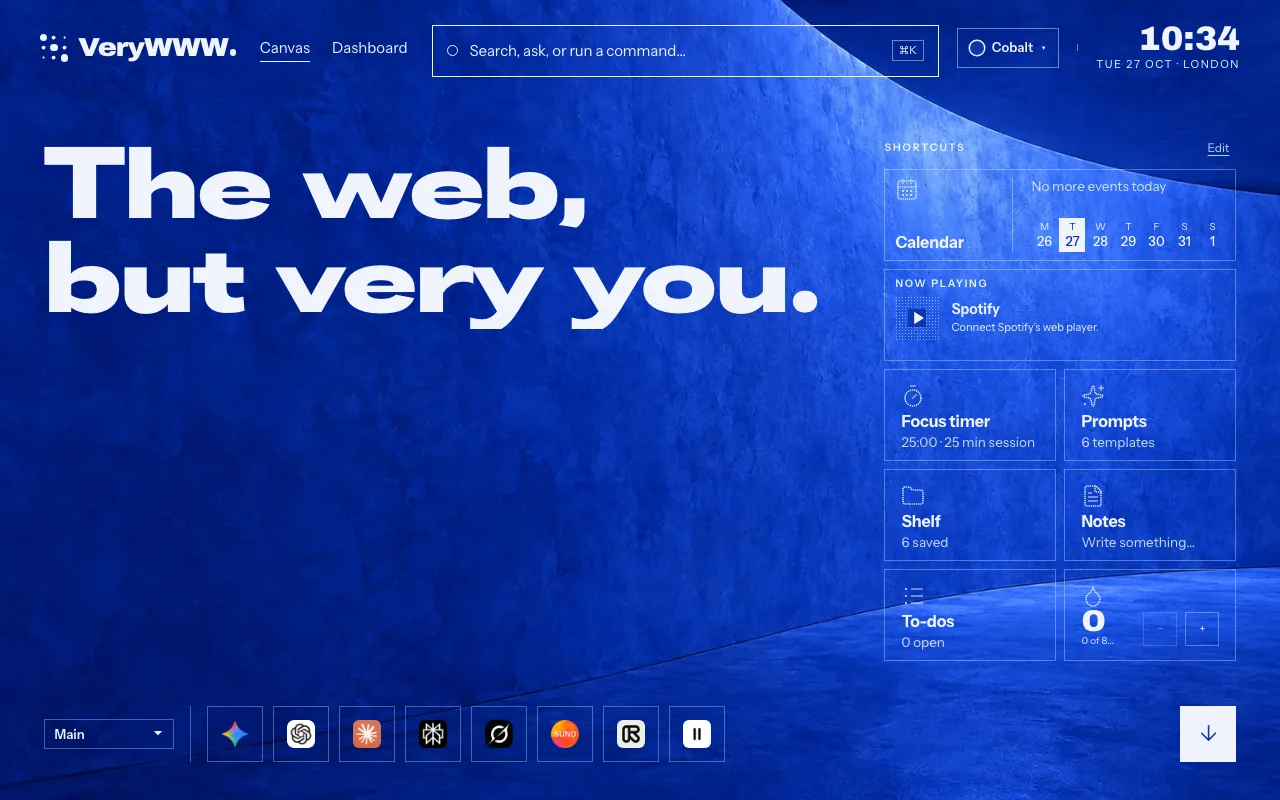
Headline layout · Cobalt wall
Six things on every new tab
01
Your words. Your wall.
Write anything as your headline, in Grotesk, Serif or Halftone dots. Pick one of 24
walls in eight colour families, as a flat colour or a photograph of sculpted plaster.
Then choose a layout: Headline, Clock, Focus, Week, Countdown, Quiet, Write, World,
Read, Browser, Listening or Calendar.
24 walls · 12 layouts · Light, Bright and Night
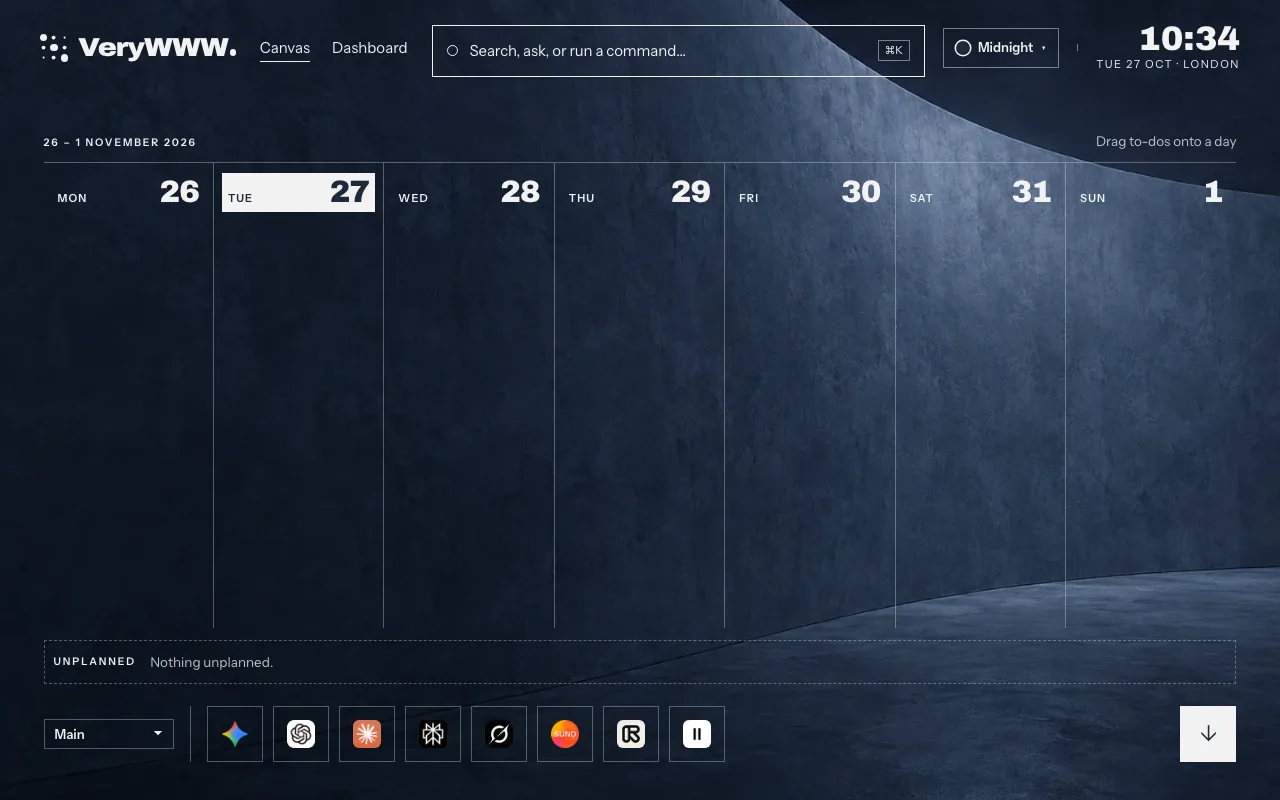
Week layout · Midnight wall
02
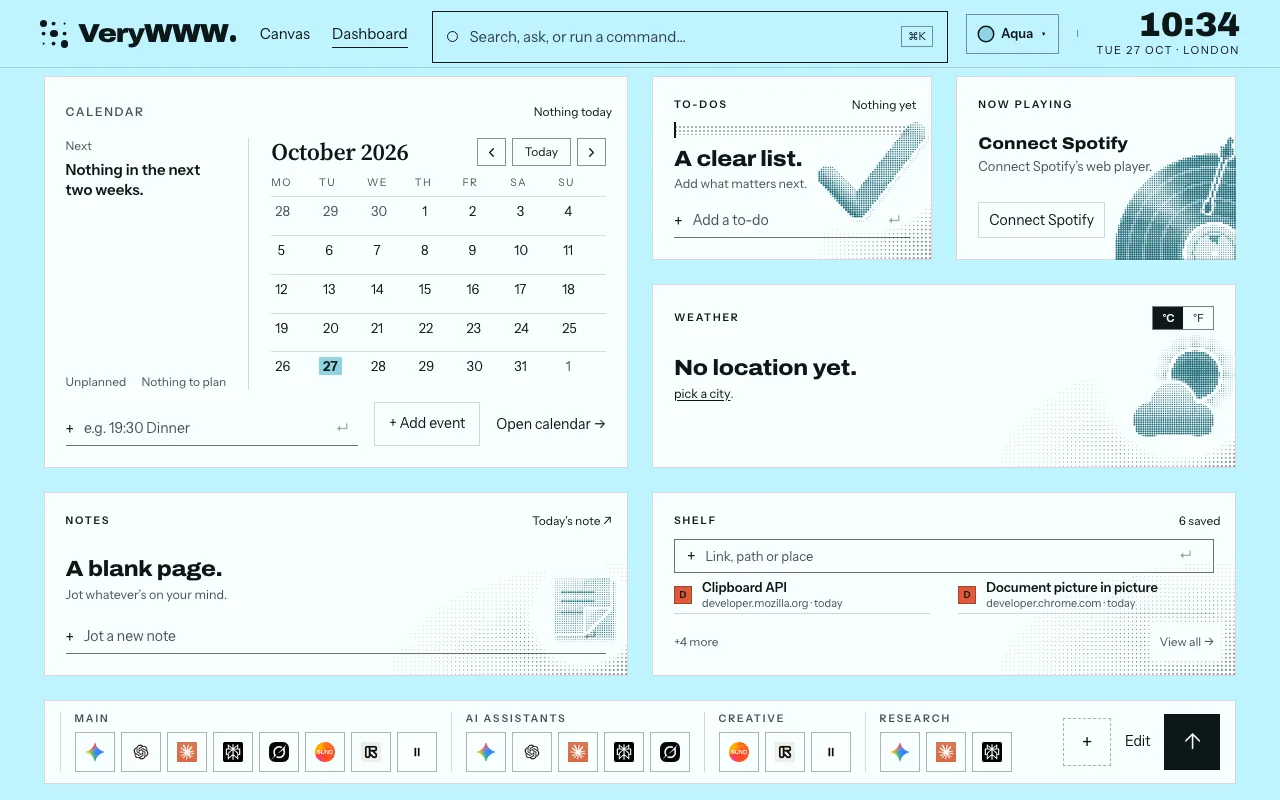
Your calendar, on every new tab.
Scroll down for the month, today’s agenda and what’s next. Subscribe to Google
Calendar, Outlook or iCloud with a private calendar address, or import an .ics file.
It refreshes on its own.
Google · Outlook · iCloud · .ics
Dashboard · Aqua wall
03
A to-do list you can’t ignore.
To-dos with Today’s priorities and reminders, and notes that save as you type. They
sit one scroll below your headline, and in the side panel beside any page.
Priorities · Reminders · Notes
04
Focus. Then a proper break.
Start a focus session from the new tab, the side panel or a shortcut. One countdown
follows you across all three, with breaks, a daily target and an optional end chime.
Alt+Shift+F · Daily target · End chime
05
Keep what you find.
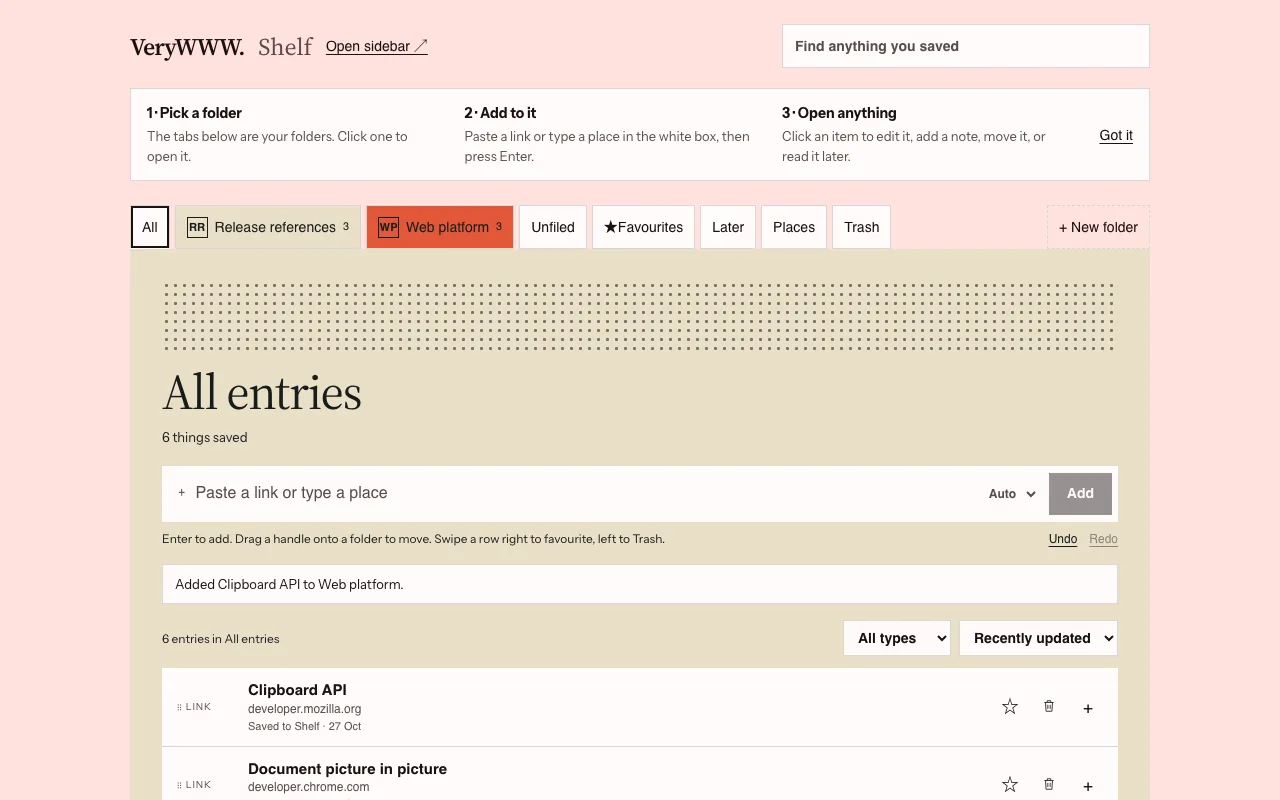
Folders for links, places, file paths and notes, each with its own colour and mark.
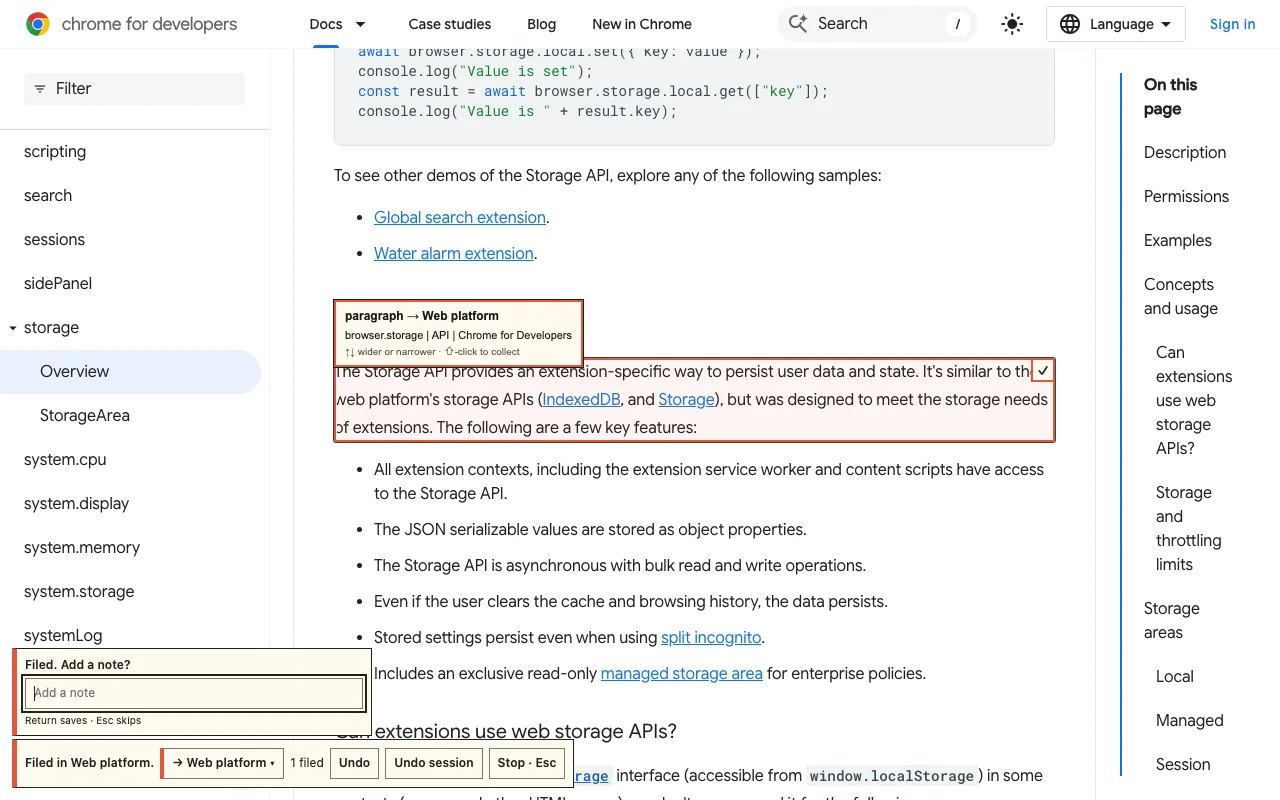
Point at anything on a page, a paragraph, a picture, a product or an email, and click
to file it. A quote comes back with a link to the exact passage.
Folders · Aim to file · Search
The ShelfAim to file · a real page
06
One shortcut to everything.
Ctrl+K, or ⌘K on a Mac, finds your tools, notes, to-dos, Shelf and settings, and
answers sums, conversions and time zones. Alt+X opens the side panel beside any page.
Type b and a space in the address bar to search your own things.
⌘K · Alt+X · b + space
No account. No server. No ads.
Your things stay in your browser. There’s no VeryWWW account, nothing is sent to us, and
nobody is selling your attention.
A few features talk to other services, and only when you use them: search goes to the
engine you pick, weather to Open-Meteo, calendars straight from Google, Microsoft or
Apple.
Add VeryWWW from the Chrome Web Store, then open a new tab. Chrome asks once whether
to keep the change. Choose Keep it, and every new tab is yours from then on.
Is VeryWWW free?
Yes. Every tool and every wall, with no account, no ads and no card.
Do I need an account?
No. VeryWWW keeps everything in your browser. If you turn on sync, your tools,
prompts and settings travel with your own Chrome account.
Can I see my Google Calendar on the new tab?
Yes. Paste your calendar’s private address from Google Calendar, Outlook or iCloud,
or import an .ics file. VeryWWW reads it straight from the provider about every 30
minutes.
Which browsers does it work in?
Chrome 116 or later, on a computer.
Can I move my setup to another computer?
Yes. Export saved content keeps one file with your setup, Canvas and Shelf, and
Restore from backup brings it back on the other computer.
How do I get Chrome’s own new tab back?
Turn VeryWWW off or remove it at chrome://extensions. Nothing else to undo.